Remote evidence collection
Zanbul Beacon
Investigate remote endpoints from a console. Select and acquire the evidence you need.
Demo and deployment enquiryZanbul Beacon
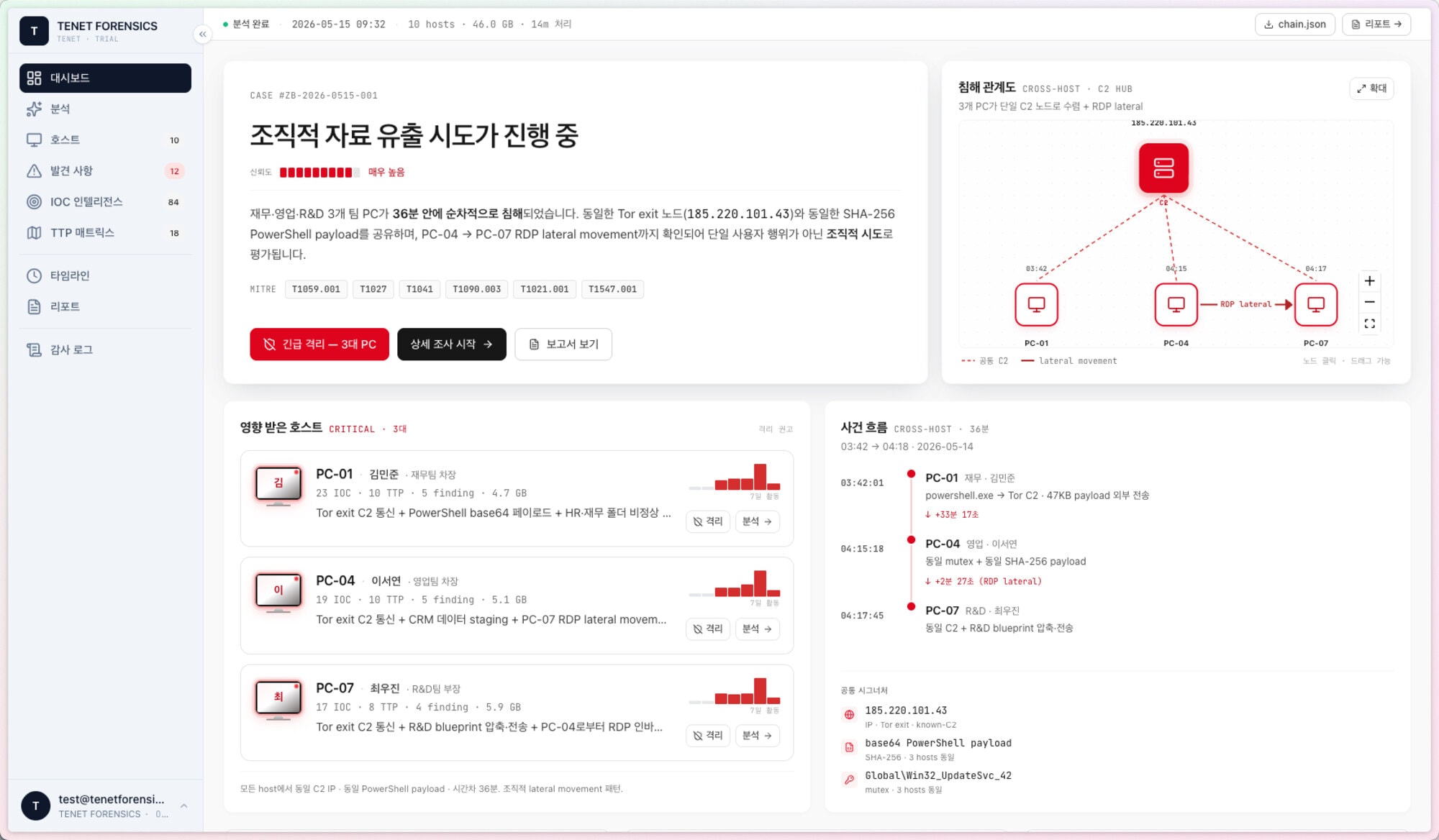
Investigate multiple endpoints in one console.
Investigate endpoints when an on-site visit is difficult. Review multiple endpoints in the console and selectively collect relevant evidence.
- Multi-endpoint investigation
- Read-only disk access
- Selective evidence collection
Inside the console
Review endpoints and follow the sequence of events.
Review findings for each endpoint and compare records across endpoints on the timeline.
Identify endpoints to investigate.
Review findings and related records grouped by endpoint. Identify which endpoints need further investigation.
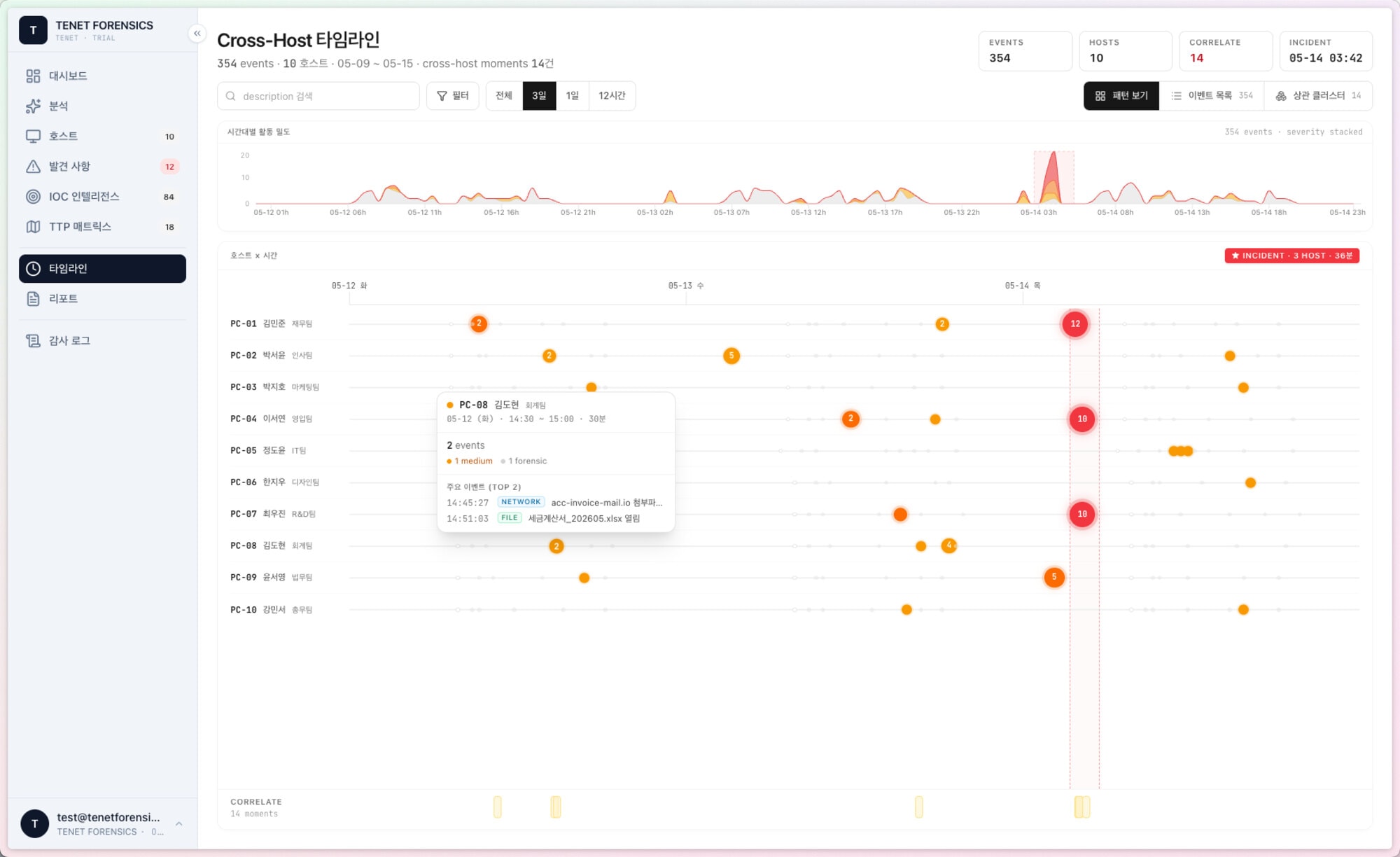
Review records in time order.
Compare when records occurred across endpoints. Check the time and details of selected records to review the sequence of events.
Zanbul workflow
Continue your investigation in Forensic.
Collect evidence with Triage and Beacon, then analyze relevant records and prepare reports in Zanbul Forensic.
Explore Zanbul Forensic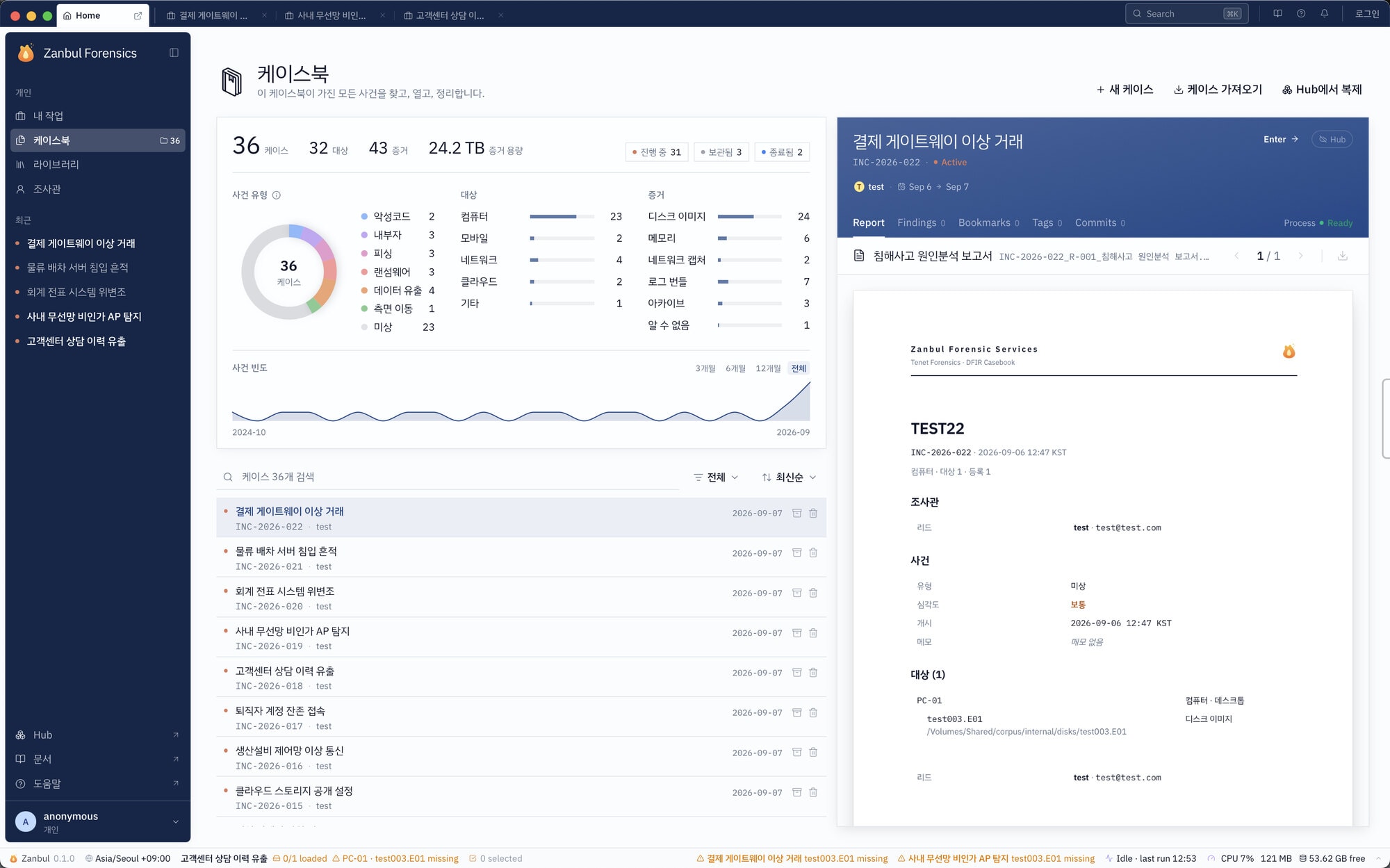
Contact
Discuss your collection environment.
Tell us about your investigation targets and on-site or network requirements. We will help arrange a demo and a suitable deployment.
Demo and deployment enquiry